


 Track
Track
 Login
Login


Ultimate destination for premium Asian Content
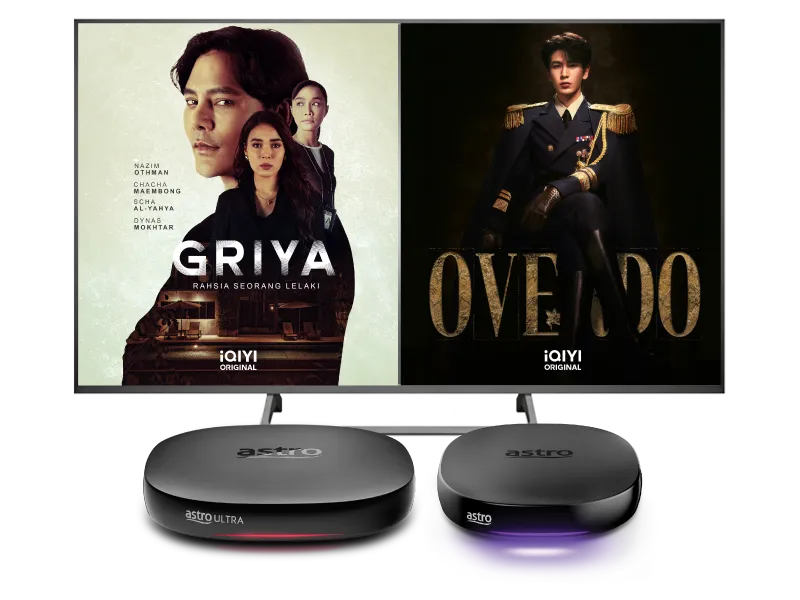
Stream the best international content with Astro Ultra & Ulti box!






Stream the best international content with Astro Ultra & Ulti box!






Watch iQIYI on your Ultra & Ulti Box in 3 simple steps!

Step 1
Get Standard VIP or Premium VIP now and create an Astro ID

Step 2
On your Astro Box, launch iQIYI and login with your Astro ID

Step 3
Yay! You can start streaming now
Add-ons to enjoy iQIYI
Subscribe to monthly iQIYI plans to upgrade your existing pack. Cancel anytime.
Frequently Asked Questions
After completing the subscription process, you will be able to access the iQIYI App on the Ultra/Ulti Box by following the steps below:
On your Ultra/Ulti Box
Step 1: At the Home menu, go to the App Rail and select "iQIYI"
Step 2: Click "OK" on your Astro remote
Step 3: While on the iQIYI App Home Page, navigate to "VIP account" located at the top left pane and click "Login". A page with a QR Code will be presented on your TV screen
Step 4: Scan the QR code using your mobile device and you will be directed to the iQIYI mobile app
Step 5: Follow the steps under "On Mobile App" below to pair your iQIYI account with your Ultra/Ulti Box
On the iQIYI Mobile App
Step 1: Download the iQIYI App on your mobile device
Step 2: At the login page, select "Continue with Astro"
Step 3: Log in with your Astro ID
Step 4: Click on the "Me" icon located at the bottom of the screen, and you will be presented with your iQIYI profile page
Step 5: Click on the in-app QR code scanner located at the top right corner of the screen
Step 6: Scan the QR Code displayed on your TV screen with the in-app QR code scanner. Refer to Step 3 under "On your Ultra/Ulti Box" above
Step 7: The screen on your TV will reload automatically and the iQIYI App home screen will be displayed. Now, you can enjoy the iQIYI App on your Ultra/Ulti Box!
Starting 20 December 2022, Astro customers will be able to enjoy the iQIYI app as an add-to-bill service for an exclusive price via Astro and enjoy the app on their Ultra/Ulti Box, mobile app and website.
Starting 20 December 2022, Astro customers will be able to enjoy the iQIYI app as an add-to-bill service for an exclusive price via Astro and enjoy the app on their Ultra/Ulti Box, mobile app and website.
As a VIP (Standard VIP or Premium VIP), you will be entitled to enjoy the benefits of the VIP subscription, including:
- Access to exclusive content only on iQIYI
- Early access to selected content episodes
- Where available, access to high definition (up to 1080P viewing quality) and surroundsound (Dolby Audio) versions of the Content
- The ability to skip advertisements
- Up to 2 concurrent viewing
Additionally, as a
Premium VIP
, besides the benefits mentioned above, you will also be entitled to the following benefits:
- Advance previewing of selected content episodes labelled as "locked"
- Where available, access to high definition (up to 4K viewing quality)
- Up to 4 concurrent viewing of VIP content, compared to only 2 concurrent viewing enjoyed by Standard VIP members
If you have more questions about these VIP privileges, please let us know by following these steps: "Profiles" > "Feedback". More privileges are in development for VIPs. Please stay tuned and join IQIYI as a VIP to enjoy these benefits.
You may cancel your iQIYI subscription in the app by following these steps:
Step 1: Go to Home Page
Step 2: Click on "VIP subscription"
Step 3: Click on "Manage VIP subscription" (Gear icon)
Step 4: Click on "Cancel VIP subscription"